


























































































Mera Work

Screenshot Monitoring Software

Screenshot Monitoring Software
to Improve Accountability, Productivity, and Work Visibility

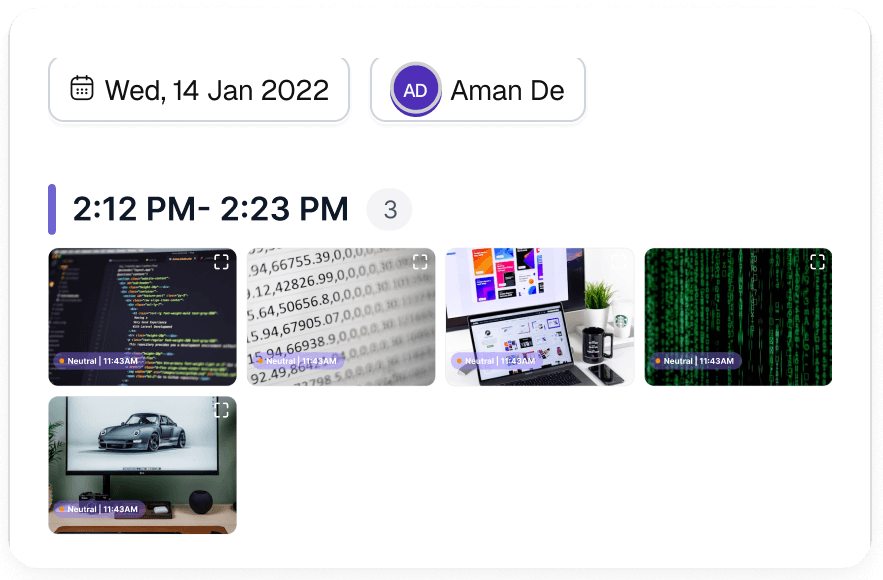
Mera Work helps managers gain clearer proof of work, understand progress across remote and hybrid teams, and identify productivity gaps with scheduled employee screenshots. Capture screenshots at preferred intervals to review work context, support accountability, and make productivity conversations more transparent.

No Credit Card required | 14 days Free Trial

Know What Needs Attention Before Work Slows Down 

Every piece of work. Verified. Always.

See what happened, when it happened, and who did it — without asking once.

Visible enough to manage. Private enough to trust.

Stuck. Spotted. Fixed.

Same screen for 40 minutes means something is wrong. Mera Work flags it automatically

Proof of work. Not just promises.

Every screenshot is a timestamped receipt for client billing — reduce disputes, protect revenue.

Screenshot Monitoring Features Built to Improve Accountability, Productivity, and Work Visibility

Automatic Screenshot Monitoring

Capture Work Activity Without Manual Effort

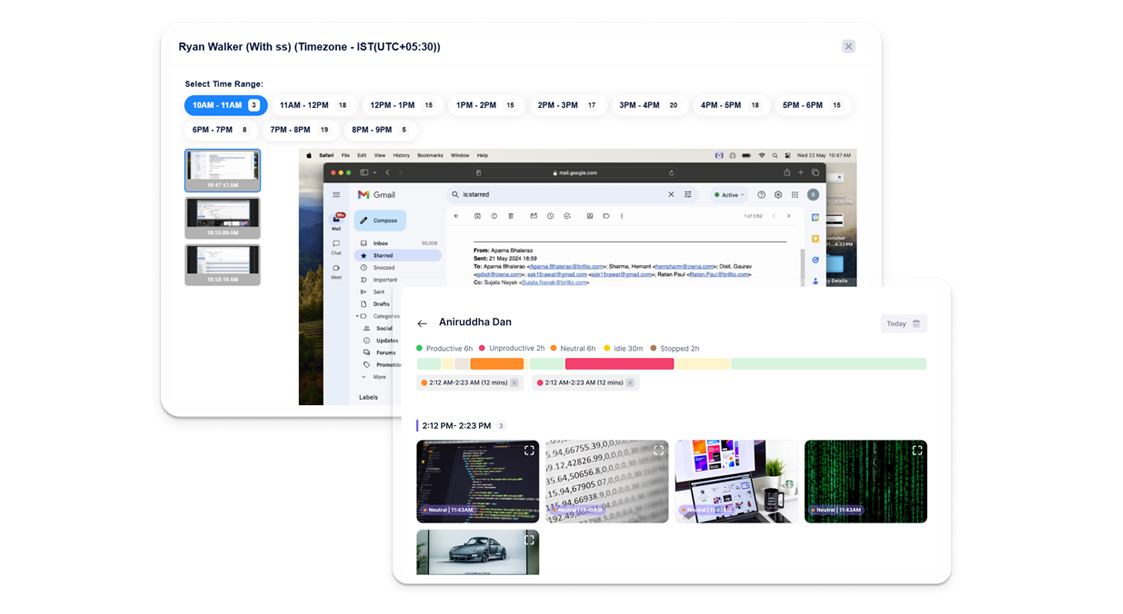
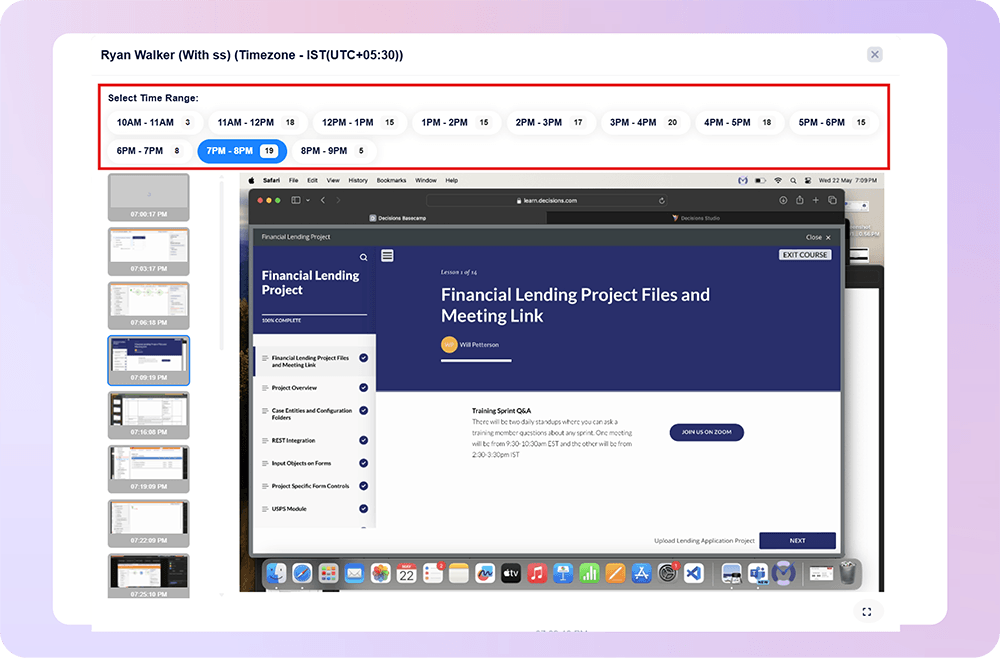
Mera Work helps businesses capture employee work screenshots automatically at defined intervals, so managers can understand work progress without depending on manual updates or repeated check-ins.

Scheduled Screenshot Capture

Set Screenshot Intervals Based on Your Work Policy

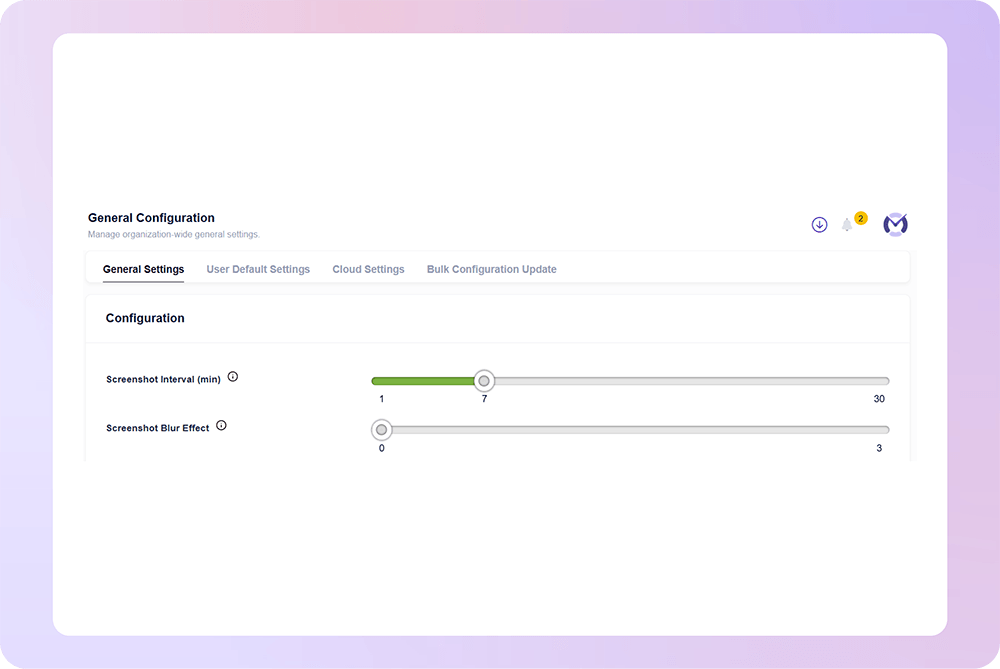
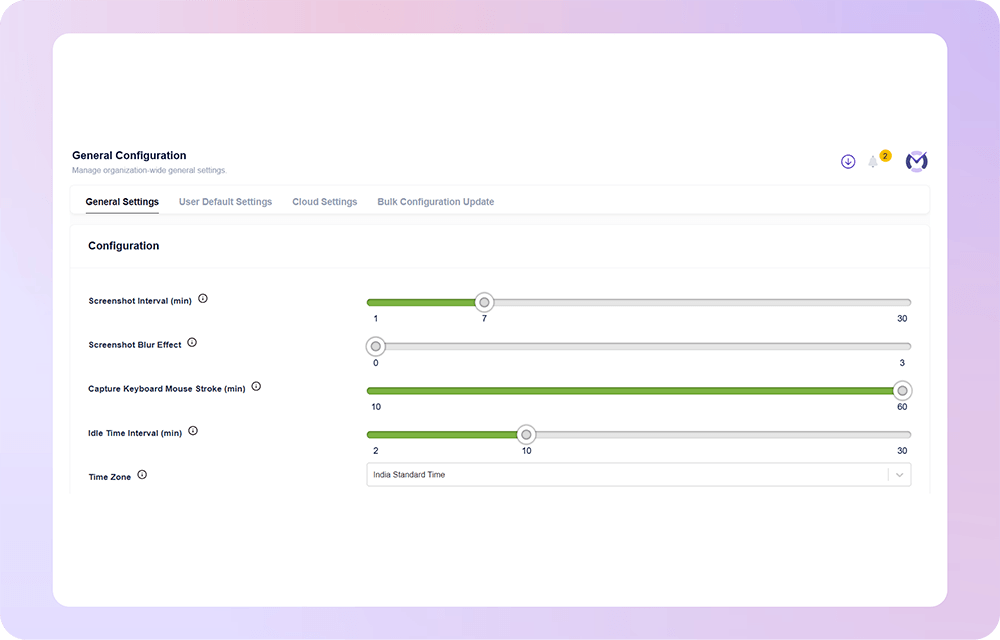
Configure screenshot capture frequency based on your organization’s monitoring needs, team structure, and work visibility policy. This keeps screenshot monitoring consistent, structured, and easy to manage.

Screenshot-Based Time Tracking

Connect Work Screenshots with Time Data

Mera Work helps managers review screenshots along with work hours, active time, idle time, and productivity trends. This gives better context around how employee time is being used.

Proof of Work

Verify Work Progress with Visual Evidence

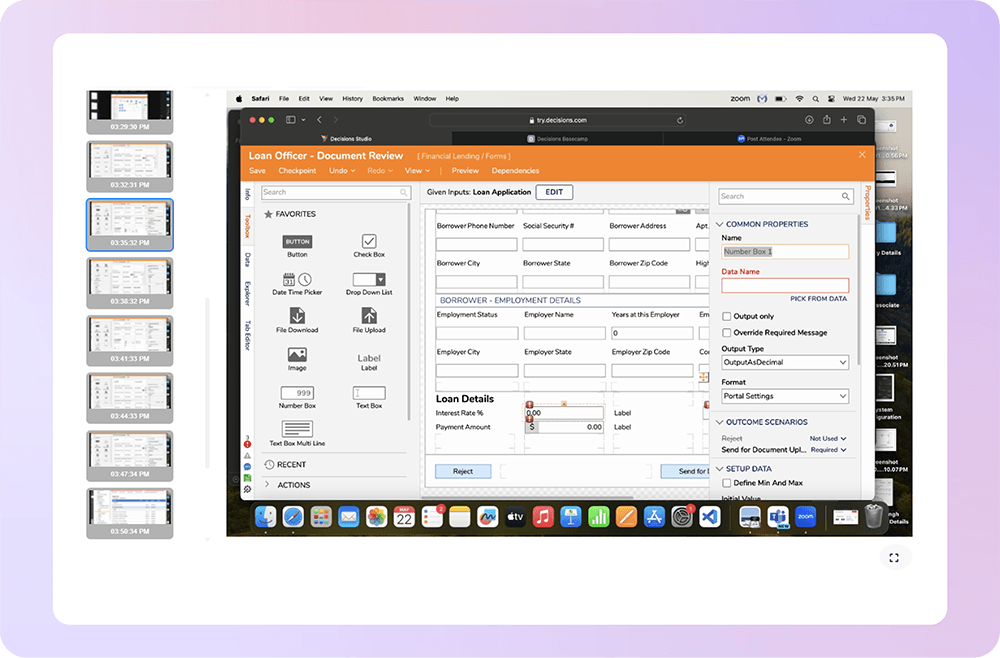
Mera Work gives businesses a clear visual record of employee work activity, making it easier to verify project progress, task execution, and billable work with better confidence.

Privacy-Focused Monitoring

Maintain Visibility While Respecting Work Boundaries

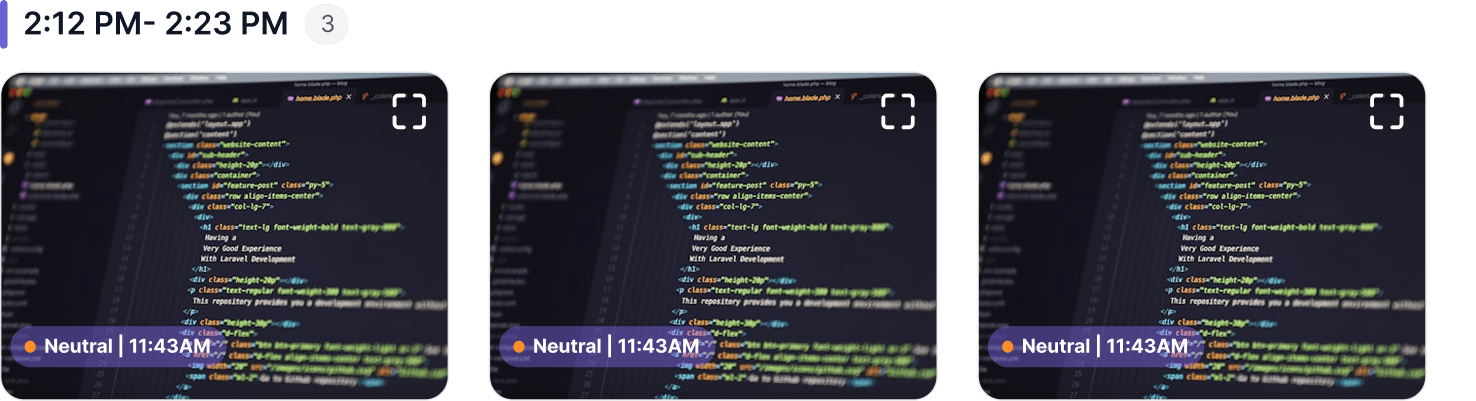
Mera Work supports structured screenshot monitoring with privacy-focused controls such as blurred screenshots where required. This helps businesses maintain visibility while supporting transparency and trust.

Work Visibility with Privacy in Mind

Mera work is designed to help teams gain clarity into how work happens without compromising trust, transparency, or employee experience.

Where Screen Monitoring Helps Work Stay on Track

What our customers are saying

Based on 2000+ reviews on

Mera Work is an exceptional tool for performance monitoring, offering invaluable support for organizational decision-making. Its real-time monitoring and live-streaming capabilities provide complete visibility into team activities, ensuring transparency and accountability.
Prakash Makwana
Product Design Lead at PiplHR

75%

Better Resource Utilization
We find Mera Work to be of great use to us working from a remote environment.

Mohammed Haris
Human Resource Lead, Dezy IT

60%

Faster Project Completion

See what your favorite AI says about Fellow

Still not sure that Fellow is the right AI meeting assistant and note-taker for you? Click a button and let Claude, ChatGPT, Gemini, Perplexity, or Grok do the thinking:

Available On

Everything You Need to Know About Screenshot Monitoring

CONTENTS

What Is Screenshot Monitoring?

Screenshot monitoring is a feature that captures employee screen activity at scheduled or random intervals during work hours. These screenshots help managers understand what employees are working on, whether work is aligned with assigned tasks, and how time is being used throughout the day.

A screenshot monitoring software can be used along with time tracking, productivity reports, app usage, website activity, and attendance data to give managers a more complete view of employee work patterns.

Why Do Businesses Use Screenshot Monitoring Software?

Businesses use screenshot monitoring software to improve work visibility, accountability, and productivity management. In remote and hybrid environments, managers may not always have direct visibility into daily work progress. Screenshot monitoring gives them visual proof of work without requiring constant check-ins.

It helps businesses:

  • Verify work progress with visual context
  • Improve accountability across remote and hybrid teams
  • Support accurate time tracking and timesheets
  • Review productivity patterns more clearly
  • Reduce uncertainty around billable hours
  • Identify non-work activity or repeated distractions
  • Make client reporting and project reviews more transparent

How Screenshot Monitoring Supports Remote and Hybrid Teams

Remote and hybrid teams need trust, flexibility, and visibility to work well. Screenshot monitoring helps managers understand progress without interrupting employees through frequent calls, messages, or status updates.

For managers, it creates confidence that work is moving forward. For employees, it reduces the need to constantly prove productivity manually. When used with clear policies and privacy controls, screenshot monitoring can support accountability while protecting team autonomy.

Screenshot Monitoring and Time Tracking

Screenshot-based time tracking connects visual work records with tracked work hours. Instead of only knowing that an employee worked for a certain number of hours, managers can also understand the work context behind those hours.

This is helpful for businesses that manage client projects, hourly billing, remote teams, or distributed employees. It allows managers to review work hours with better confidence and reduce gaps in manual timesheets.

Screenshot Monitoring for Proof of Work

For agencies, IT services companies, consultants, BPOs, and service-based teams, proof of work is important. Screenshot monitoring helps create a visual record of work activity, project progress, and task execution.

This can support client billing, project updates, internal reviews, and performance conversations. Instead of relying only on written updates or self-reported hours, managers can use screenshot reports to understand work progress with clearer evidence.

Privacy in Screenshot Monitoring

Privacy is one of the most important parts of screenshot monitoring. A good screenshot monitoring tool should allow businesses to keep visibility structured and responsible.

Features such as defined screenshot intervals, role-based access, blurred screenshots, controlled visibility, and transparent monitoring policies help create a balanced approach. The goal should be to improve work clarity and accountability without creating unnecessary pressure or privacy concerns.

What to Look for in Screenshot Monitoring Software

When choosing screenshot monitoring software, businesses should look for a solution that is easy to use, structured, and privacy-focused. The software should help managers review work activity without making monitoring feel intrusive or difficult to manage.

Important features to look for include:

  • Automatic screenshot monitoring
  • Scheduled or random screenshot capture
  • Screenshot-based time tracking
  • Employee screenshot reports
  • Role-based access control
  • Blurred screenshot options
  • Remote and hybrid team visibility
  • Productivity reports with screenshots
  • Simple dashboards for managers
  • Clear work activity history

The right solution should not only capture screenshots. It should help managers turn visual work data into better decisions around productivity, accountability, billing, and team performance.

How Mera Work Helps With Screenshot Monitoring

Mera Work helps businesses improve work visibility with structured screenshot monitoring. Managers can capture employee screenshots at preferred intervals, review work activity with time tracking data, and understand productivity patterns with better context.

With Mera Work, businesses can manage remote and hybrid teams more confidently, verify work progress, support accurate timesheets, improve client transparency, and maintain responsible monitoring with privacy-focused controls.

For teams that need better accountability without constant follow-ups, Mera Work provides clear visual work insights that help managers make faster, fairer, and more informed decisions.

Talk With Our Team About Your Workforce Operations

Connect with our team to explore how Mera Work helps organizations improve productivity, monitor workflows, and streamline workforce operations.

Get started today. No credit card required.

Frequently asked questions

Yes. Businesses can set screenshot monitoring rules based on their internal work policy, team structure, and visibility requirements. This helps keep employee screenshot monitoring consistent, controlled, and aligned with how the organization manages work. 

Yes. Mera Work supports scheduled screenshot capture, allowing businesses to capture employee screenshots at preferred intervals during work hours. This gives managers regular visual context without needing manual follow-ups. 

Yes. Screenshot monitoring should be used during defined work hours or tracked work sessions. This keeps monitoring focused on work-related activity and helps maintain a more transparent and responsible process. 

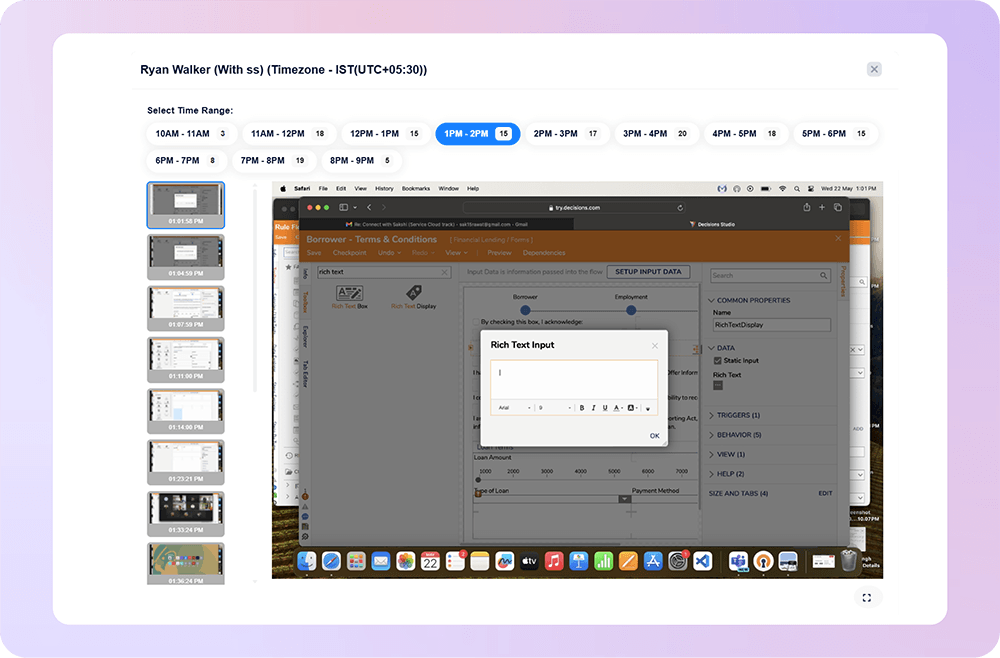
Yes. Screenshot reports can help managers review work screenshots by employee, team, date, or work period. This makes it easier to find relevant work contexts during productivity reviews, client updates, or project checks. 

Yes. Scheduled screenshots give managers visual work context, reducing the need for repeated status messages, frequent check-ins, or unnecessary update meetings. 

Yes. Client-facing teams can use screenshot monitoring to support work verification, project transparency, and billing conversations. It gives managers a clearer record of work progress when reviewing client deliverables. 

Access should be limited to authorized users such as managers, team leads, HR, or leadership based on business requirements. Role-based access helps keep screenshot data secure and relevant. 

Yes. Screenshot reports can help managers notice repeated non-work activity, unrelated browsing, or work patterns that may affect focus. This allows managers to address productivity concerns with better context. 

Yes. Screenshot monitoring is especially useful for remote and hybrid teams because it gives managers visual work context without requiring constant calls or manual progress updates. 

Yes. Screenshot monitoring becomes more useful when reviewed alongside productivity reports, work hours, app usage, website activity, and time tracking data. This gives managers a more complete view of work patterns. 

Yes. Screenshot monitoring can provide visual context during performance conversations, especially when combined with time tracking and productivity reports. It helps managers discuss work patterns with more objectivity. 

Screenshot monitoring software is useful for IT services, agencies, BPOs, consulting firms, remote teams, support teams, operations teams, and businesses where work visibility, billing accuracy, and accountability are important. 

Mera Work helps businesses capture scheduled work screenshots, review employee screenshot reports, connect screenshots with productivity insights, and manage work visibility with structured, privacy-focused controls.